Commercial-use template checklist: five license details to check
A polished template can save hours. Before you put it into an Etsy listing, client deliverable, social campaign, or other business content, pause to check what the license actually allows. “Commercial use” is not a complete answer to every use case.
Make this a small part of your download workflow: identify the asset, read the terms, save the version you reviewed, then create. These five checks help you spot questions early. They are practical workflow guidance, not legal advice; license terms vary, so consult the provider’s terms and seek qualified advice when needed.
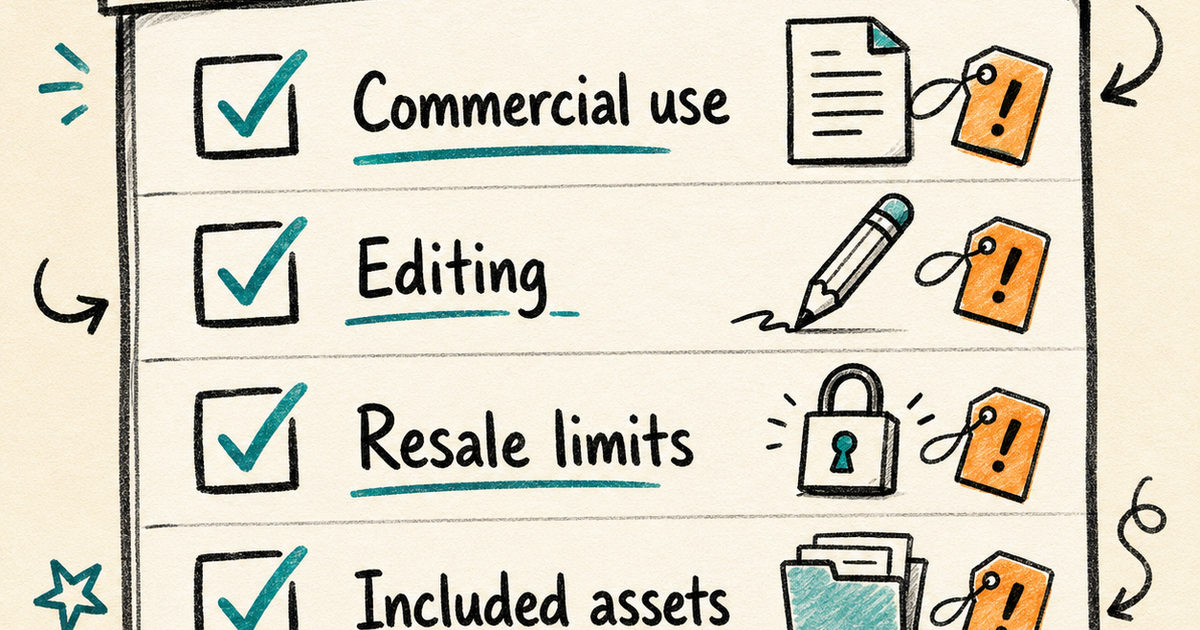
1. Is commercial work allowed?
Look for language describing business or commercial projects. A personal-use permission may not cover work connected to a shop, paid service, client campaign, or monetized channel. Check whether the license distinguishes between using an asset in a finished design and using it as a standalone product.
Match terms to your intended project. An Etsy seller might use a graphic in product packaging or listing images; a freelancer might include it in a client’s campaign. Do not infer permission from the fact that a template is downloadable or editable. If the wording does not clearly address your planned use, pause and check the provider’s current guidance.
To see how two providers frame these permissions differently, compare the licensing section of Envato Elements vs Creative Market. Our Envato Elements review also explains how a subscription license applies to each project.
2. Can you edit it for your brand or client?
Templates are useful because you can adapt them. Still, check what modifications are permitted and whether the license changes when you hand work to a client. Review terms for restrictions on changing, combining, or incorporating the source file into a larger project.
- Can you change colors, text, layout, or dimensions?
- Can you add your own logo, copy, and product photography?
- Can a client receive the finished exported design, and what happens to editable source files?
- Does the license require you to keep the template or source asset private?
Write down the intended handoff before editing. Delivering a flattened graphic is different from transferring an editable project that contains the original template. The license should guide that choice.
3. Check resale, redistribution, and print-on-demand limits
Many templates are licensed as ingredients for a finished project, not as files to pass along. Look for limits on reselling the template, sharing the source file, making it available for download, or using it in products where customers can extract the design.
Print-on-demand deserves its own check. If you plan to place a design on a shirt, mug, planner, or other physical product, confirm the terms cover that production model and your distribution. Also check whether there are conditions on volume, audience, or how much original work you must add. If the product would let someone retrieve or reuse the source asset, ask the provider before proceeding.
4. Are fonts, photos, icons, and mockups covered?
A template may bundle several different assets. The main design file and its fonts, stock photos, icons, mockups, music, or other linked elements may not all share identical terms. Some may have separate licenses or require separate downloads and attribution.
- Open the included documentation and identify third-party assets.
- Check whether fonts or images need separate installation or licensing.
- Confirm mockup previews are allowed in the final commercial use you have planned.
- Replace an asset when its permission is unclear rather than assuming the template license covers everything.
This check matters most when a template looks finished out of the box. A preview image can include materials that are examples only, while the editable file may rely on assets you must source separately.
5. Save a copy of the terms you reviewed
License pages can change, and months later it may be hard to remember which product, plan, or terms applied when you downloaded an asset. Save a dated copy or screenshot of the relevant license text alongside the project record, consistent with the provider’s rules.
Keep a simple asset note: product name, source, download date, project, license link, and any important restrictions. Store receipts and included license documents in the same folder. This record does not guarantee a particular outcome, but it makes your own review easier to repeat and helps you find the applicable information later.
Turn five checks into a repeatable habit
Before publishing, compare the license with the actual use: where the design appears, who receives it, whether source files are shared, and whether customers can extract the original asset. Save the terms, note any unanswered question, and choose a different asset when permission remains unclear.
Build the check into your creative process instead of treating it as a last-minute hurdle. A few minutes of documentation can prevent avoidable confusion across Etsy products, freelance projects, and recurring business content. When the terms are complicated or the stakes are significant, ask the provider or a qualified professional for guidance.