Envato Elements AI Tools Explained
Envato Elements is usually known as a subscription library for templates, stock media, graphics, fonts, music, and other creative assets. The newer angle is that active subscribers can also use AI-assisted creative tools as part of the subscription experience. The practical question is not whether Envato is replacing a dedicated AI app. The better question is whether AI tools plus a large creative asset library can make your workflow simpler.
Every individual plan includes a monthly allowance of AI credits: 20 on Core, 200 on Plus, and 500, 1,000, or 2,000 on Ultimate, according to Envato's pricing page in November 2026. Tool names, credit costs, and AI rules can change, so check Envato's current pricing and AI terms before you buy.
What Are Envato Elements AI Tools?
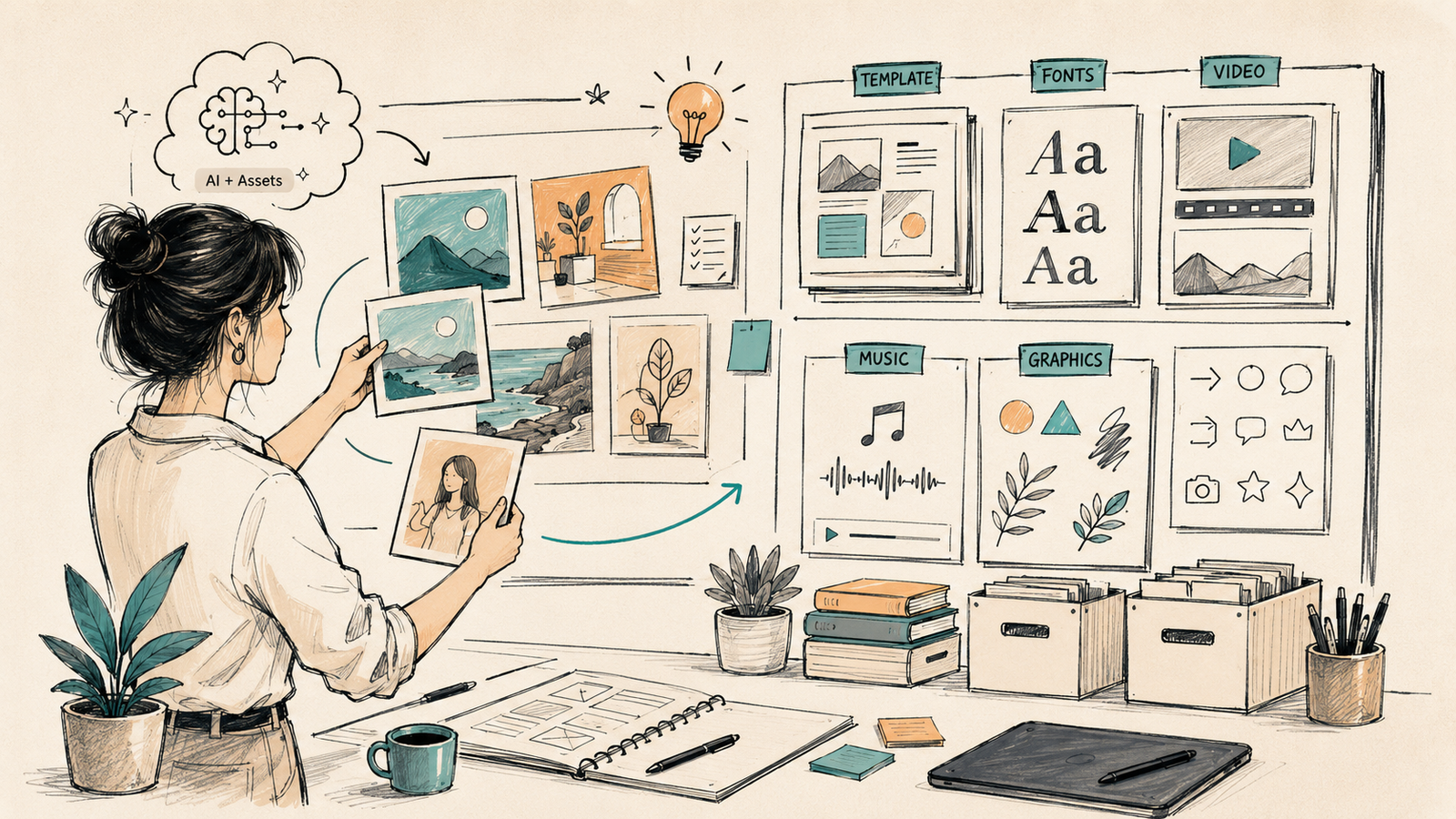
Envato Elements AI tools are generators and editors built into the subscription. Envato's pricing page lists eight: an image generator, image editor, video generator, voice generator, music generator, sound generator, graphics generator, and mockup generator. They help you explore visual directions, adapt ideas, and move faster from a blank page to a usable creative direction.
The asset library still matters. Templates, stock, graphics, fonts, video, music, and other media help turn that direction into finished work.
Envato groups the credit usage into five generation types. These are the kinds of output your monthly AI credits can be spent on:
- AI Images generation & editing
- AI Videos generation & editing
- AI Voiceovers
- AI Music & Sound
- AI Graphics & Mockups
Envato's pricing page also lists the AI models available on its plans, including GPT Image 2.5, Gemini Omni, Flux 3, Nano Banana 2.1, Seedance 2.0, Minimax H3, ElevenLabs, and WAN 3.0 (November 2026). Envato says Core, Plus, and Ultimate all get the same selection of image and video models; the plans differ in credits.
Envato Elements AI Credits By Plan
The three individual plans include the same unlimited stock library but very different AI allowances. Core includes 20 AI credits a month, Plus 200, and Ultimate lets you choose 500, 1,000, or 2,000. Plus and Ultimate also list how many AI generations you can run at the same time (USD prices, per Envato's pricing page, November 2026).
| Plan | Price | AI credits per month | Parallel AI generations |
|---|---|---|---|
| Core | From $16.50/month | 20 | Not listed |
| Plus | From $39/month | 200 | 3 |
| Ultimate | From $168/month | 500, 1,000, or 2,000 (you choose) | 10 |
Credit cost depends on the task. Envato says most image generation and editing, graphic generation, and voice or sound generation start at 1 credit, while video generation may start at several credits, and the exact cost is shown before you generate. Prices are in US dollars and exclude local tax. For how the plans compare beyond AI, see the Envato Elements review pricing breakdown.
AI Licensing Basics
Envato's pricing page says AI assets made with its tools come with a commercial license to use them as part of an end product. If you edit an Envato Elements stock item with AI, the item is covered by both the Envato Elements license and Envato's AI Product Terms. AI music has extra limits, notably around standalone music and audio streaming services.
The Real Value Is AI Plus The Asset Library
The strongest reason to consider Envato Elements for AI is the combined workflow. You can use AI-assisted tools to explore a direction, then search the library for templates, images, graphics, fonts, music, or video assets that support the final piece. That is different from buying a standalone AI tool and then managing a separate stock or template subscription.
Who This Fits Best
- Freelancers who need faster client drafts, pitch visuals, social packages, and campaign mockups.
- Social media managers building weekly content kits and campaign asset systems.
- YouTubers and creators producing thumbnails, banners, b-roll support, music, and presentation visuals.
- Small agencies preparing proposal concepts, ad variants, launch kits, and repeatable client workflows.
Envato Elements AI tools make the most sense for people who already need a steady flow of creative assets. If you only want one AI feature, compare specialist AI products too. If you need both AI-assisted creation and a broad media library, Envato Elements may reduce tool sprawl.
Who Should Not Buy Envato Elements Only For AI
Do not buy Envato Elements only because it has an AI angle. Buy it only if the subscription fits your ongoing creative workflow. If your main need is a narrow AI feature, compare dedicated tools and read Envato's current AI and license terms before deciding.
- Users who need one specialist AI feature more than a broad asset library.
- Users expecting unlimited generation: AI use is limited by monthly credits.
- Users who plan to sell AI music as standalone tracks or on streaming services.
- Users who do not plan to use templates, stock media, graphics, fonts, music, or other creative assets regularly.
Workflow Example: Weekly Social Campaign Kit
- 1Define the campaign message and audience.
- 2Use AI-assisted tools to explore visual directions or rough concepts, where current terms allow.
- 3Search Envato Elements for matching templates, graphics, fonts, stock media, music, or video assets.
- 4Customize assets into final posts, short videos, thumbnails, or ads.
- 5Check license, brand, and usage requirements before publishing.
What To Verify Before Subscribing
- Current AI tool names and availability.
- Whether AI tools are included across all active plans or only selected plans.
- Usage limits, credits, beta labels, account requirements, and regional restrictions.
- Current license and AI terms, including commercial-use rules and user responsibilities.
- Pricing, renewal terms, cancellation terms, and seat or account rules.
Stock downloads are unlimited under Envato's Fair Use Policy, but AI use is not: it draws from your monthly credits, and Envato says it may change credit costs as its tools evolve. Before subscribing, check Envato's current pricing page and AI Product Terms for plan coverage, credit rules, and account restrictions.
PixelJetty Recommendation
Envato Elements is worth considering if you need both AI-assisted creative support and a large asset library for ongoing work. It is less compelling if you only need one AI feature or if you do not plan to use templates, stock media, graphics, fonts, music, or other creative assets regularly. Treat AI as part of the workflow, not as the whole reason to subscribe.
Check the current Envato Elements fit
Affiliate disclosure: PixelJetty may earn a commission if you click through and buy through our links, at no extra cost to you. PixelJetty is independent and is not Envato or an official Envato representative. Check current Envato pricing, plan terms, AI feature availability, and license details before buying.
Check Envato Elements